
Think about the last time you briefed a new hire. You probably didn't hand them a style guide and wish them luck — you showed them a finished example and said, "do it like this." Few-shot prompting works the same way: you give the AI a handful of examples before your real request, and it picks up the pattern.
This article explains what few-shot prompting is, how it works mechanically (without the ML jargon), and how to use it in real marketing tasks — with four fully worked prompt blocks you can copy today.
What Few-Shot Prompting Is
Few-shot prompting means including a small number of input/output examples directly in your prompt, before the actual task you want completed. The model reads the examples and infers the pattern you want it to follow.
The term comes from machine learning research, where "shots" refers to labeled training examples. Zero shots means no examples; few shots means a small number (typically two to five) supplied at inference time, inside the prompt itself — no retraining required. This approach is also called in-context learning, because the learning happens within the context windowContext windowThe maximum amount of text a model can consider at once, counted in tokens. Everything outside it is invisible to the model. rather than by updating the model's weights.
The analogy holds up well in practice: writing a ten-page spec for a new hire rarely works as well as showing them three finished pieces and explaining what makes them good. Same principle here.
Zero-Shot, One-Shot, and Few-Shot — What's the Difference?
These three terms describe how much example context you give a model before your real request. Here's how they compare:
| Technique | What you provide | Best for | Typical failure mode |
|---|---|---|---|
| Zero-shot | Task instruction only | Simple, well-defined tasks (summarize, translate) | Inconsistent format or tone |
| One-shot | One example + instruction | When you have a strong canonical example | Model over-anchors on the single example's quirks |
| Few-shot | 2–5 examples + instruction | Classification, extraction, style matching, structured outputs | Biased examples skew the entire output distribution |
In practice, zero-shot is your starting point. If the output format or tone keeps drifting across runs, add examples. One-shot helps when you have one perfect reference; few-shot is better when the task has meaningful variation across inputs — which covers most real marketing work.
How Few-Shot Prompting Works
When a language model generates a response, it predicts the next tokenTokenThe unit models actually read and generate — roughly a word-piece. Context limits and API pricing are both measured in tokens. based on everything that came before it in the prompt. When you include labeled examples before your real input, those examples shift the probability distribution so the model's output matches the pattern you demonstrated, not just a generic interpretation of your instruction.
You don't need to understand the math to use this well. The practical takeaway is: examples are instructions. They communicate format, length, tone, and classification criteria more reliably than descriptions of those same properties — because the model sees exactly what "correct" looks like rather than inferring it.
Here's what the structure looks like:
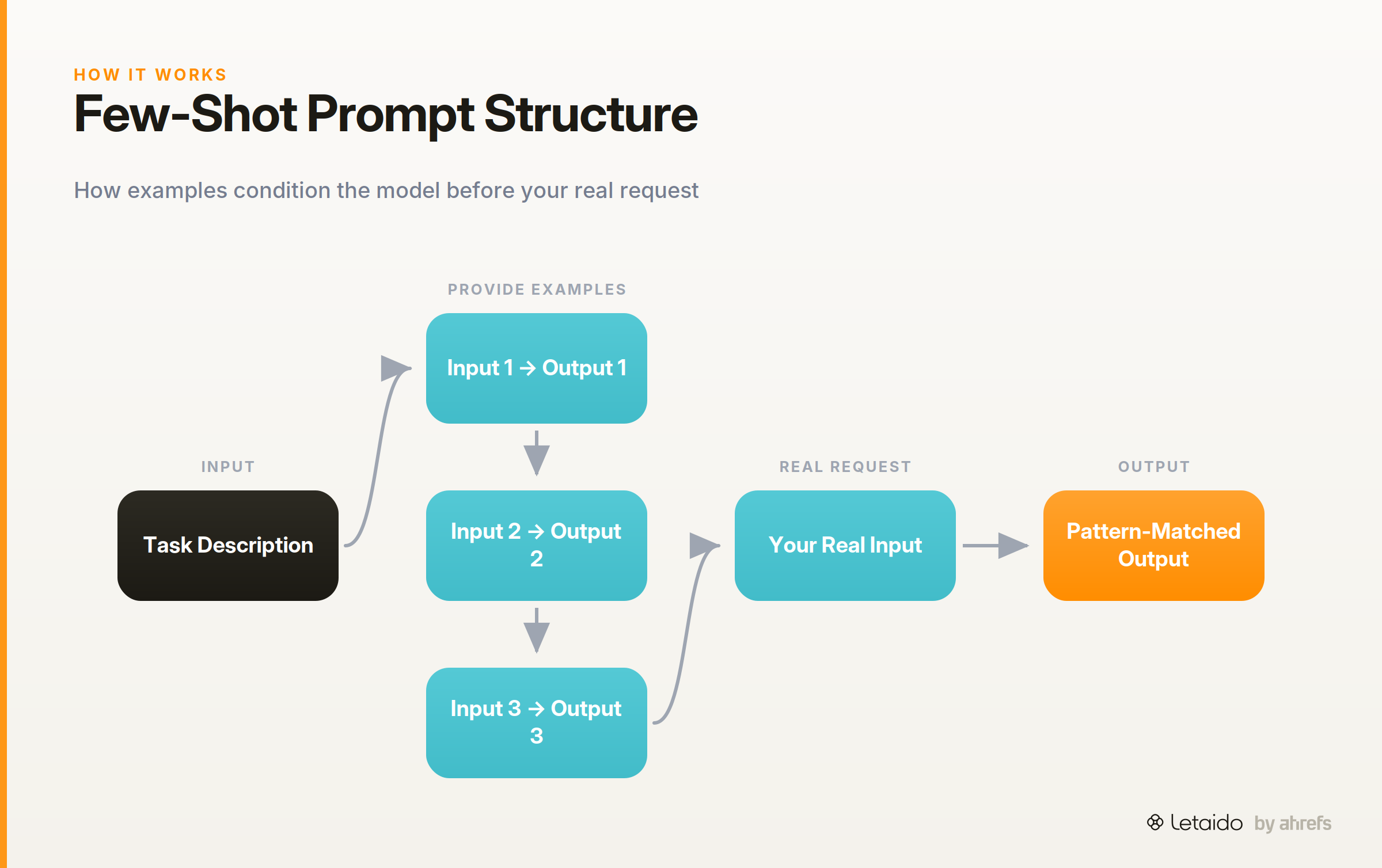
[Task description]

Input: [example input 1]
Output: [example output 1]

Input: [example input 2]
Output: [example output 2]

Input: [your real input]
Output:
The model sees the pattern in the examples and completes the final output accordingly. Notice the prompt ends with Output: and nothing after it — that's where the model picks up.
When to Use Few-Shot Prompting
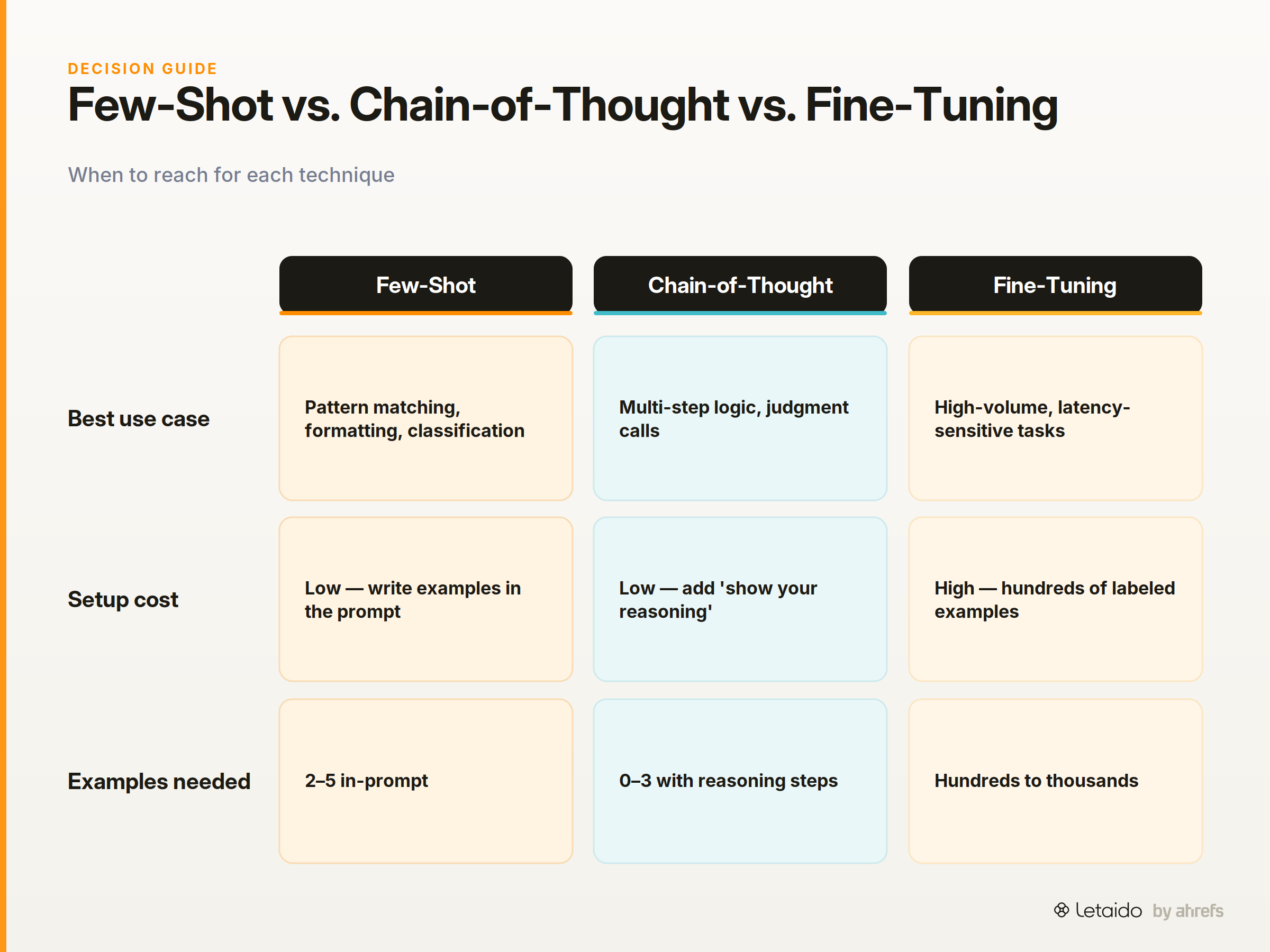
Choosing the right prompting technique comes down to what kind of problem you're solving and what's going wrong with your current results. Here's how few-shot compares against the most common alternatives.
Few-Shot vs. Zero-Shot
Use zero-shotZero-shot promptingAsking a model to do a task with no examples at all — instructions only. Fast, and usually enough for well-known tasks.Read: Zero-Shot Prompting: Getting Results Without Examples first. If the model produces outputs with inconsistent formatting, wrong tone, or wildly varying length across runs — add examples. The clearest signal that you need few-shot is when the instruction is unambiguous but the outputs still vary in ways that matter (different label names, different sentence structures, different levels of formality).
Few-Shot vs. Chain-of-Thought
Chain-of-thought promptingChain-of-thought promptingAsking a model to work through its reasoning in steps before answering, which measurably improves accuracy on multi-step problems.Read: Chain-of-Thought Prompting: Make AI Reason Step by Step means asking the model to show its reasoning steps before giving a final answer. Use it when the task requires judgment or multi-step logic — calculating a budget, diagnosing why a page isn't ranking, deciding whether a claim is supported by evidence. Use few-shot when the task is about pattern matching and output formatting: classify this, extract that, write this in that tone. Many good prompts combine both: show examples that themselves include reasoning steps.
Few-Shot vs. Fine-Tuning
Fine-tuningFine-tuningFurther training a base model on your own examples so it internalises a style or task, rather than being told about it in the prompt each time. means actually updating the model's weights on your own labeled data. It produces more consistent results at scale, but it costs time, money, and requires enough labeled examples to be worthwhile (typically hundreds to thousands). Use few-shot first. Only consider fine-tuning when your examples are too long to fit in the context window, when latency matters so much that a shorter prompt is necessary, or when the task data is sensitive enough that it shouldn't leave your environment in a prompt.
How to Write Effective Few-Shot Examples
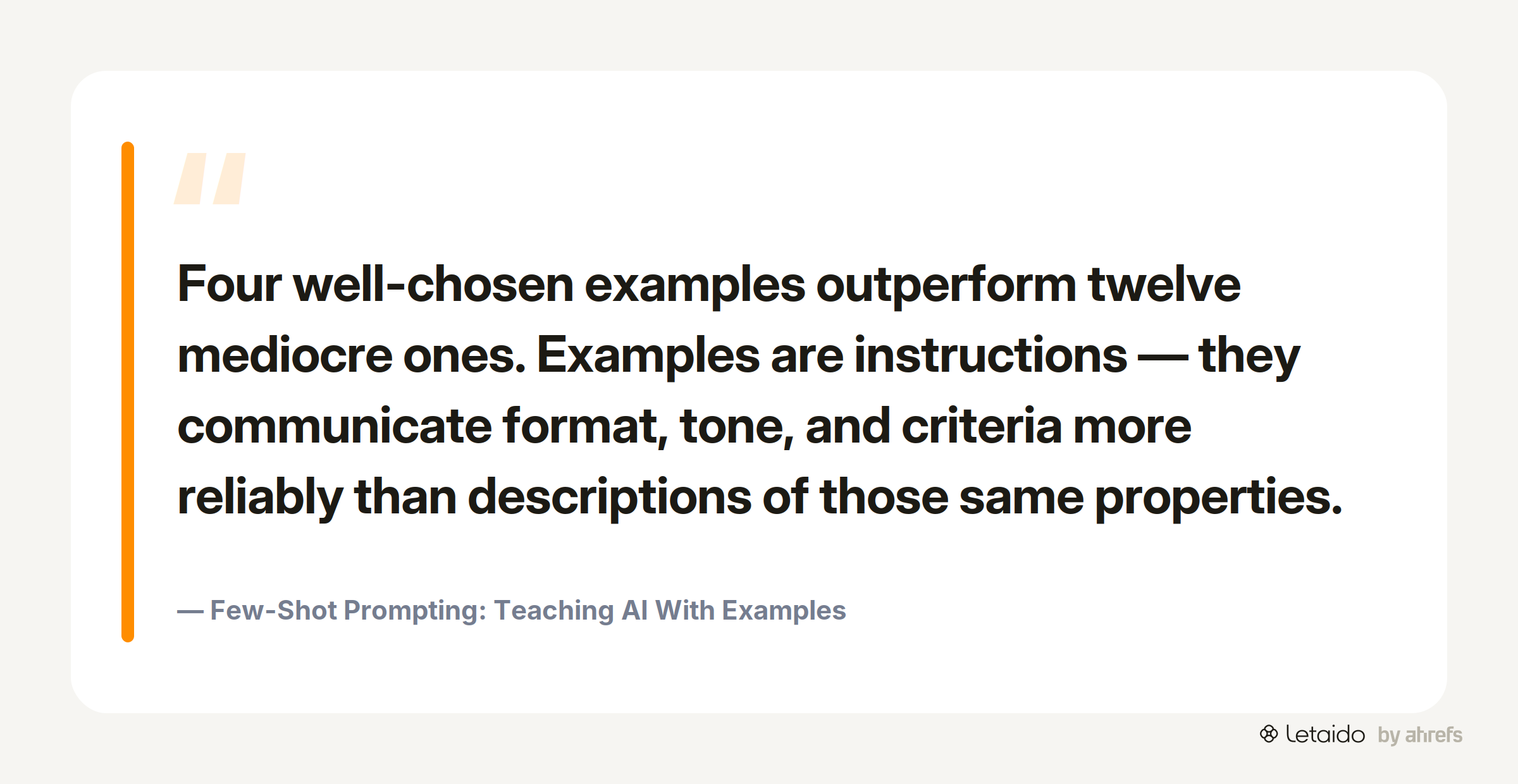
The quality of your examples matters far more than the quantity. Four well-chosen examples outperform twelve mediocre ones. These four principles cover most of what separates good few-shot prompts from unreliable ones.
Choose Diverse, Representative Examples
Your examples should cover the range of inputs the model will actually encounter — including edge cases. If you're classifying customer reviews as positive, neutral, or negative, include at least one ambiguous review in your examples. A model trained only on clear-cut cases will struggle when real inputs arrive with mixed sentiment.
Avoid choosing examples that all share the same length, topic, or phrasing. Diversity signals to the model that the pattern generalizes.
Keep Format Consistent Across Every Example
Format inconsistency is the single biggest cause of degraded output quality in few-shot prompts. If one example uses Input: and another uses User:, the model sees two patterns and has to guess which to follow.
Pick a delimiter convention and use it identically across every example — same capitalization, same whitespace, same label phrasing. Even a trailing space difference can matter in some models.
Label Inputs and Outputs Clearly
Unlabeled examples (where input and output run together) force the model to infer the boundary, which introduces errors. Explicit labels remove that ambiguity.
Recommended conventions: Input: / Output: for generic tasks; User: / Assistant: for conversational tasks; Text: / Label: for classification. Any consistent pair works — pick one and stick with it throughout the prompt.
How Many Examples Do You Actually Need?
For most marketing tasks, two to five examples is the working range. Start with three: one straightforward case, one edge case, and one that represents the most common input type. Add more only if you're still seeing inconsistency after testing.
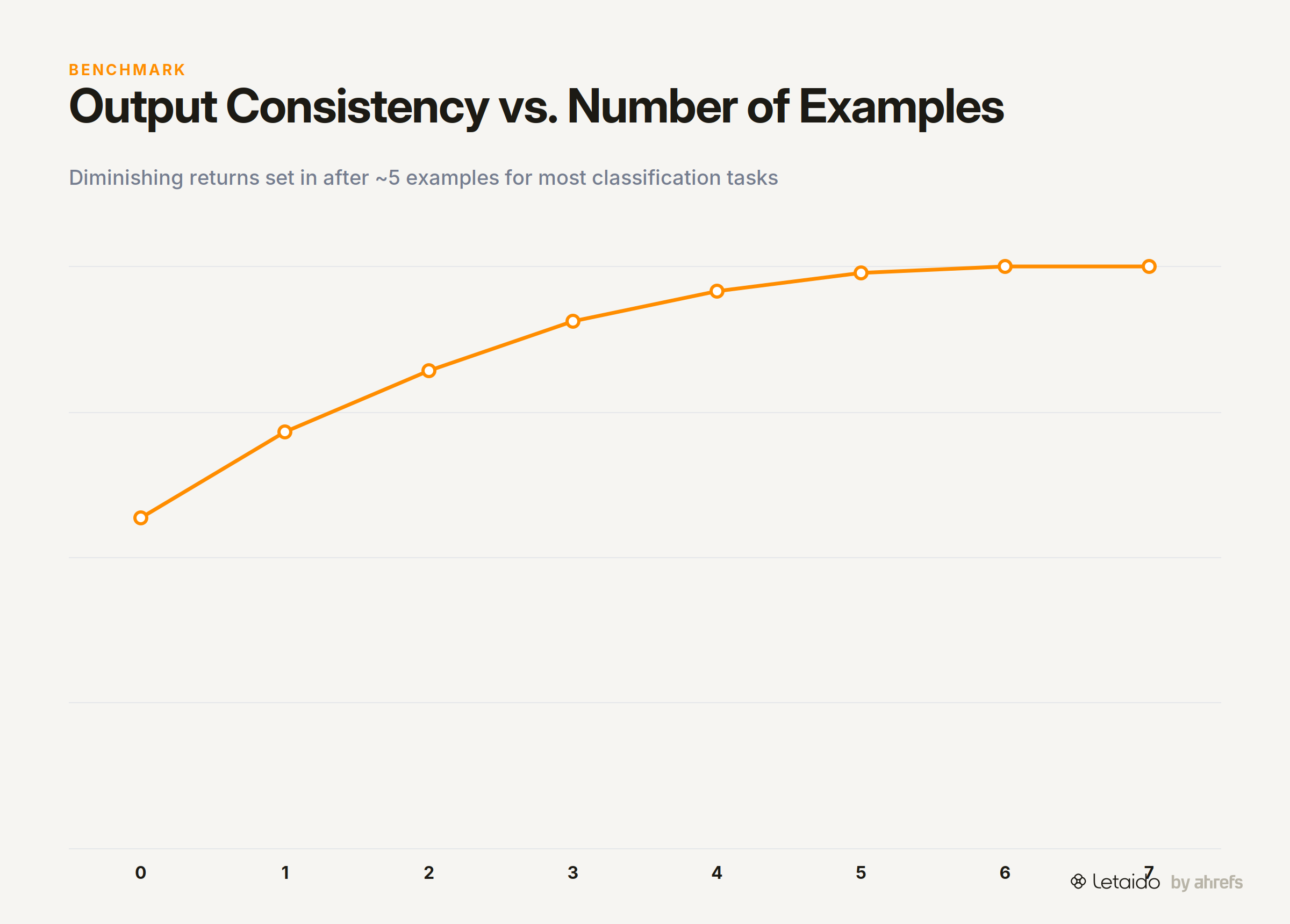
There are diminishing returns past about five examples for most classification and extraction tasks. Beyond that, you're consuming context window space that might be better used on the actual input data. If you need more than eight examples to stabilize the output, that's a signal to try fine-tuning instead.
Few-Shot Prompting in Practice — Four Marketing Examples
The best way to understand few-shot prompting is to see it applied to tasks you'd actually run. Each example below shows a complete prompt you can copy and adapt.
Example 1 — Classify Pages by Search Intent
Search intent classification is a common task in SEO workflows: given a page title or URL, label the intent as informational, navigational, commercial, or transactional. Without examples, a model often uses its own definition of these terms, which may not match yours.
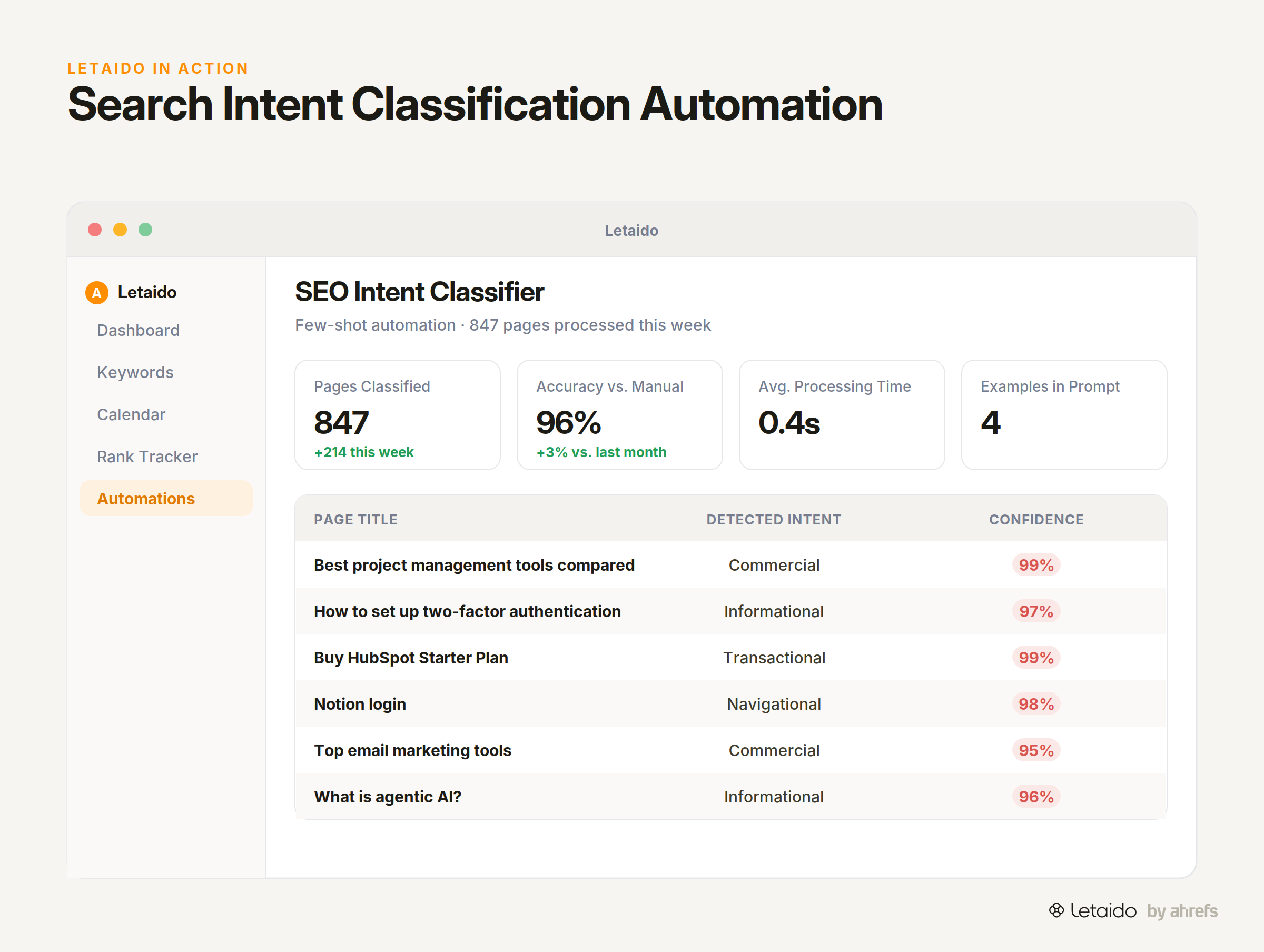
Classify each page by search intent: Informational, Commercial, Navigational, or Transactional.

Input: "Best project management software for small teams"
Output: Commercial

Input: "How to set up two-factor authentication"
Output: Informational

Input: "Notion login"
Output: Navigational

Input: "Buy HubSpot starter plan"
Output: Transactional

Input: "Top email marketing tools compared"
Output:
Sample output: Commercial
Example 2 — Match Brand Tone in Ad Copy
Tone conditioning is where few-shot prompting earns its keep. Describing a brand voice in words is always lossy — showing examples of it is not.
Write a one-sentence Google ad headline in the same tone as the examples below.

Input: Product — project management software
Output: "Stop chasing updates. Start shipping on time."

Input: Product — expense tracking app
Output: "Your receipts are a mess. We fixed that."

Input: Product — AI writing assistant
Output: "First drafts in seconds. Final drafts that actually sound like you."

Input: Product — email deliverability tool
Output:
Sample output: "Land in the inbox. Not the spam folder."
Example 3 — Extract Entities from Customer Reviews
Structured extraction from unstructured text is one of the most useful things you can do with a language model in a marketing or ops context. Few-shot examples define exactly what counts as an entity and what format to return.
Extract the product feature mentioned and the sentiment (positive/negative/neutral) from each review. Return as: Feature | Sentiment.

Input: "The dashboard is incredibly intuitive — I found everything without any help."
Output: Dashboard | Positive

Input: "Onboarding took way longer than expected and support wasn't responsive."
Output: Onboarding | Negative

Input: "The reporting exports are fine, nothing special."
Output: Reporting exports | Neutral

Input: "Search filters make it so much easier to find old conversations."
Output:
Sample output: Search filters | Positive
Example 4 — Tag Support Tickets by Topic
At any volume above a few dozen tickets per week, manual tagging breaks down. Few-shot prompting lets you route and categorize tickets consistently without training a custom model.
Assign each support ticket to exactly one topic: Billing, Bug Report, Feature Request, or Account Access.

Input: "I was charged twice this month and need a refund."
Output: Billing

Input: "The export button on the reports page does nothing when I click it."
Output: Bug Report

Input: "It would be great if you could add a dark mode option."
Output: Feature Request

Input: "I can't log in — it says my account doesn't exist but I have a confirmation email."
Output:
Sample output: Account Access
Common Few-Shot Prompting Mistakes
Most few-shot failures trace back to a small set of avoidable errors. Here are the ones that come up most often, and how to fix each one.
-
All examples are easy cases. If every example shows an obvious, clear-cut input, the model has no guidance for ambiguous ones. Include at least one edge case that could plausibly fall into two categories.
-
Too few examples for a complex task. One example is often not enough. If you're seeing inconsistent outputs, add a second and third example before assuming the task is too hard for the model.
-
Inconsistent formatting between examples. Mixed delimiters, varying capitalization, or different label names across examples confuse the model. Audit every example to confirm the format is identical.
-
Examples that contradict each other. If two examples with similar inputs produce different outputs with no clear reason, the model can't learn a stable pattern. Either remove the contradicting example or add an explanatory note that distinguishes the two cases.
-
Examples that don't reflect your real input distribution. If all your examples are short inputs but real inputs are long and messy, performance will degrade on real data. Match your examples to what you'll actually send.
Few-Shot Prompting in Agentic and Automated Workflows
In a one-off chat session, you can correct a bad output immediately. In an automated workflow, there's no human in the loop to catch a malformed response before it gets written to a spreadsheet, passed to the next step, or sent to a customer.
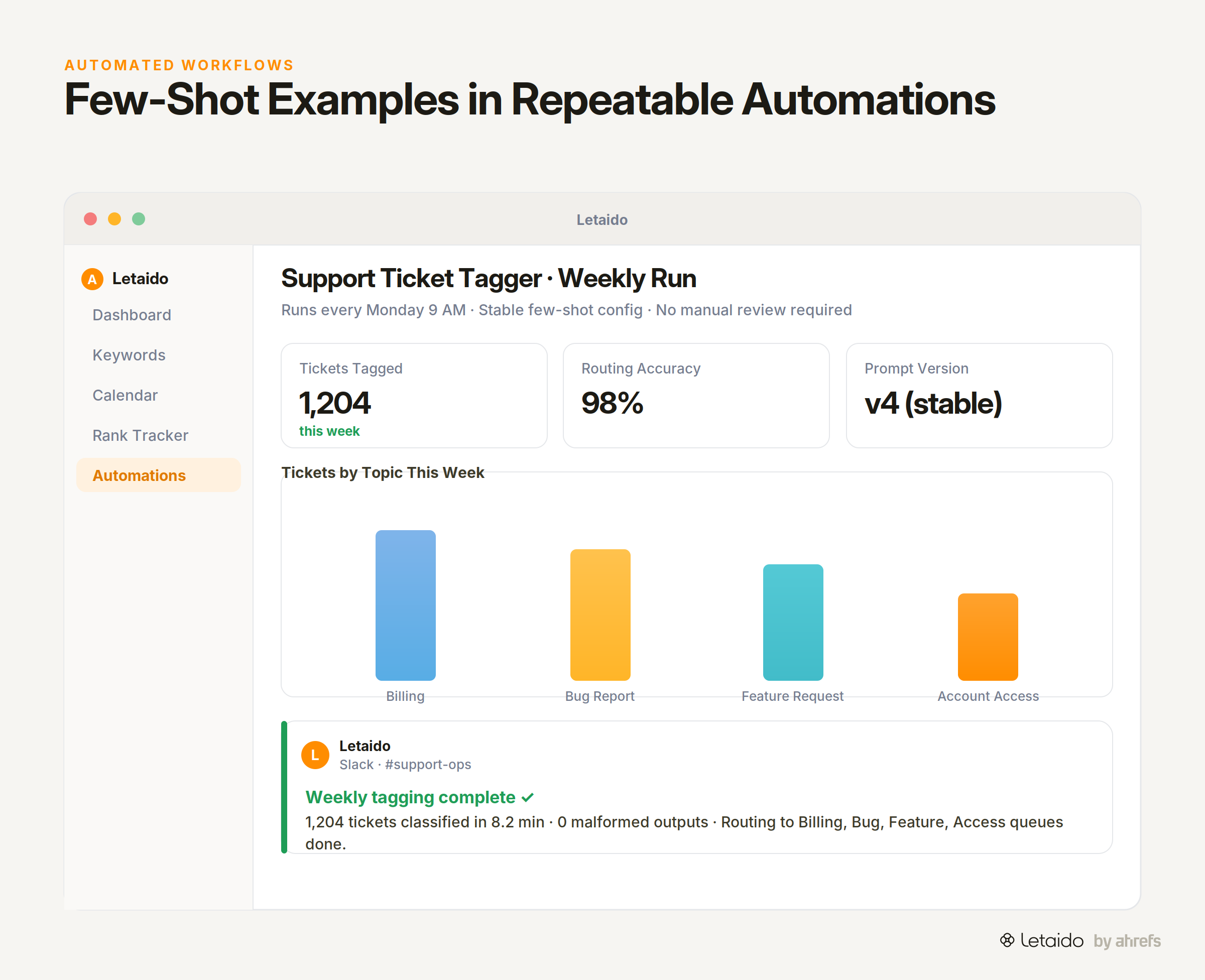
This is why few-shot examples matter even more in agentic and automated contexts. Hardcoded examples act as a stable behavioral contract: every run of the automation uses the same conditioning, which means format and tone stay consistent regardless of how varied the inputs are. Without examples, a bare instruction can drift subtly across thousands of runs in ways that are hard to detect until something breaks downstream.
Letaido lets you configure few-shot examples directly into repeatable automations — so a classification workflow, an extraction pipeline, or a brief-generation task runs with the same prompt structure every time, across any volume, without someone manually reviewing each prompt before it fires.
Few-Shot Prompt Template — Copy and Adapt
Here's a reusable skeleton you can drop into any task. Replace the bracketed placeholders with your own content.
[One sentence describing the task and the expected output format.]

Input: [Example input 1 — straightforward case]
Output: [Correct output 1]

Input: [Example input 2 — edge case or less obvious example]
Output: [Correct output 2]

Input: [Example input 3 — most common input type you expect to see]
Output: [Correct output 3]

Input: [Your real input]
Output:
To adapt this for the four examples above: swap the task description line for your classification label set, extraction fields, or tone instruction; swap the examples for ones drawn from your own data; keep the Input: / Output: labels identical across every block.
If you want to run this on autopilot across hundreds of inputs on a schedule, that's exactly what Letaido is built for — try Letaido free.